
Omnitrix Badge PNG — Digital Assets Pack
Our Omnitrix Badge PNG pack delivers print-ready, high-resolution digital files designed for cosplayers, graphic designers, and fans building custom projects. Each badge asset is saved at 300 DPI with transparent backgrounds, making it simple to layer onto fabric prints, event signage, social graphics, or presentation decks.

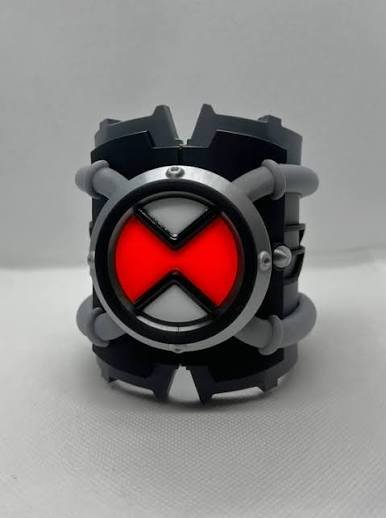
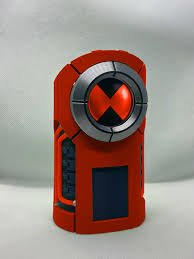


Every omnitrix badge png in this pack is saved as a 32-bit RGBA file, preserving alpha-channel transparency so you can drop the badge onto any background without fringing or white halos. The 4000×4000 resolution ensures crisp output whether you’re printing wallet-sized lanyards or full-bleed tabloid posters.

Licensing & commercial use
Your purchase grants a single-user commercial license valid for up to 500 printed units per project. That means you can print omnitrix badge png designs onto T-shirts for a convention vendor table, produce sticker sheets for an online shop, or create promotional materials for a fan event — all without paying per-print royalties.
The license prohibits reselling or redistributing the raw PNG or PSD files as-is (no “clip art bundle” resale), but any derivative work you create — a composite poster, a product mockup, a video thumbnail — is yours to monetize. If you need higher volume limits (over 500 units) or want to sublicense the assets to a client, contact us for an extended commercial agreement.
Customization options in the PSD
Open the layered PSD and you’ll find five main groups: Core Indicator, Ring Segments, Glow Effects, Shadow Pass, and Background Grid. Each group is toggle-able, so you can preview variations instantly — try turning off the glow layer for a flat graphic-novel look, or duplicate the ring segments and rotate them 15 degrees for an “activating” animation frame.
The Core Indicator layer uses a green-to-white gradient mapped to a smart object; swap the gradient stops to any hex code and the center gem updates in real time. Ring Segments are vector shape layers, meaning you can scale them up to billboard size without pixelation. If you want to add your own custom alien silhouette inside the core, simply paste your artwork into the “User Insert Here” clipping mask and it will inherit the circular boundary automatically.
What’s included in your download
More digital asset packs from our store



Customer reviews
Common questions about the Omnitrix Badge PNG pack
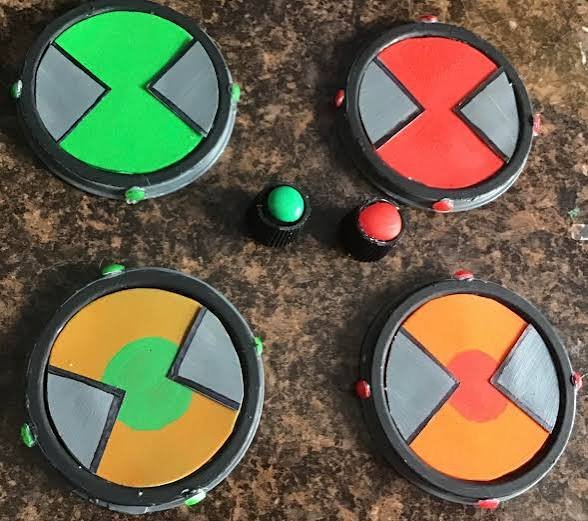
You’ll receive five 4000×4000-pixel PNG files (one per colorway) with transparent backgrounds, plus one layered PSD source file. The PNGs are 32-bit RGBA at 300 DPI. The PSD is compatible with Photoshop CS6 and newer, Affinity Photo, and GIMP 2.10 or later.
Yes. Your purchase includes a single-user commercial license allowing up to 500 printed units per project. You can sell T-shirts, stickers, posters, or other physical goods featuring the badge designs. You may not resell or redistribute the raw PNG or PSD files as standalone digital products. For volume over 500 units or client sublicensing, contact us for an extended agreement.
The PNGs are raster images, so they’re best suited for print applications. If you need vector paths for vinyl cutting or laser engraving, import the PNG into your design software and use the trace or image-trace function to convert edges to vectors. Most Cricut and Silhouette users report clean auto-trace results with the high-contrast colorways (black and green especially).
Open the PSD and locate the Core Indicator group. Click the gradient layer thumbnail, then edit the gradient stops in the properties panel to your desired hex codes. For the ring segments, select the shape layer and choose a new fill color from the swatches or enter a custom hex value. All changes update instantly across linked smart objects.
Absolutely. Both Canva and PowerPoint preserve PNG alpha channels when you upload the files. Simply drag the badge onto your canvas and it will sit cleanly over any background color, image, or gradient without a white box around it.
For professional print quality, keep the 300 DPI resolution when exporting your final composite. If you’re scaling the badge down for a smaller item like a button or sticker, maintain 300 DPI at the new dimensions (e.g., a 2-inch circle at 300 DPI is 600×600 pixels). For web or screen use, 72–96 DPI at your target pixel dimensions is sufficient.
Yes. All customers receive lifetime access to the download link. When we release updated versions or bonus colorways, you’ll be able to re-download the pack at no extra charge. We typically send an email notification when new assets are added, but you can also check your account dashboard anytime.